News tagged painting
-

Why Interior Paint Is More Than Color
While color choice is often front and center when it comes to painting, it’s the paint finish and application process that can make or break the look of your walls. Before you pick up a paintbrush or roller, take a look at these tips for planning and executing a successful painting project from start to […] <p>The post Why Interior Paint Is More Than Color first appeared on CCR-Mag.com.</p>
-
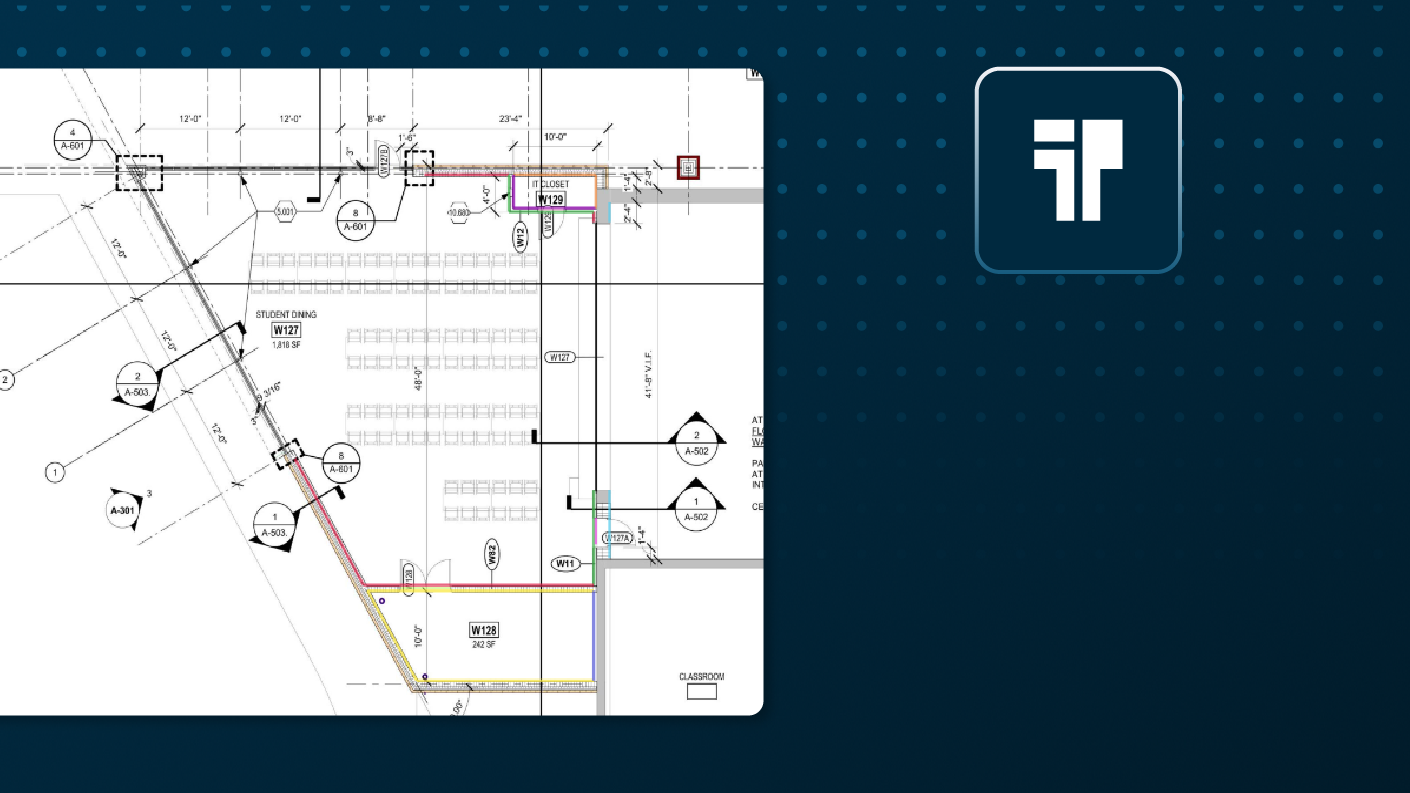
Give Manual Takeoff the Brush-Off - Auto Takeoff for Painting Contractors
In short Painting contractors know that takeoff requires identifying and measuring surface finishes, trim, doors, and ceilings together across plans, elevations, schedules, and details. That’s a lot of back-and-forth between plans and details and schedules and specifications . Add to the takeoff complexity, the estimator must account for all the materials and labor required to complete a build out. Takeoff BOOST™’s Expanded Auto Takeoff coverage, along with the included Estimating functionality in ConstructConnect Takeoff, helps painting estimators go from reviewing plans to submitting a bid in record time. Auto Takeoff gives estimators a faster, more organized way to establish the initial measurement set for review. This feature is current in beta testing and will be available for all ConstructConnect Takeoff users soon. Why this matters Painting scope rarely consists of just wall area. Finish conditions change by room, wall face, elevation, ceiling type, opening, or level. Estimators need to reconcile finish schedules, elevations, reflected ceiling plans, and specifications before a quantity is ready to price. Takeoff BOOST™ Auto Takeoff helps establish a categorized starting point across the painting conditions that commonly shape labor and material scope: Surface finishes Trim and doors Ceilings A faster path to the first review Open the architectural drawing, verify the page scale, choose Painting, select the surface finishes, trim and doors, or ceiling scope that belongs on the page, and run Auto Takeoff. The result is a more organized set of conditions to review before you build the estimate. You can choose to complete the takeoff on the current page or on all appropriate pages. (We recommend selected “Whole Project” – you can always remove what you don’t need) Auto Takeoff shows you which page(s) it has taken off in the Document List. Auto Takeoff passes your selections to Takeoff Assist which gets to work analyzing your plan set, understanding the paint schedules and details and then takes off the page or pages as appropriate. This can take a few minutes but compared to manually reviewing the plan set and then going back and drawing takeoff yourself – you’re way ahead of the game with Auto Takeoff! Takeoff Assist creates conditions and takeoffs on the current plan or on all plans that it determines require Painting takeoff - your choice. As it's working, Takeoff Assist keeps you informed of what it is doing. The payoff for estimators A categorized first pass reduces the time you spent establishing repetitive painting measurements and create a clearer path to the questions that affect pricing: Which finish applies? Which surfaces are included? Where do trim, doors, and ceilings start and stop? Auto Takeoff creates Conditions and takeoff and let's you know what it and why in the Takeoff Assist panel. Takeoff Assist isn’t just drawing measurements on a page, it’s understanding how the plans work together and the relationships between different takeoff objects. It shows you its insights and why it drew takeoff the way it did and calls out inconsistencies and things you may want to pay extra attention to. Auto Takeoff and Takeoff Assist don't replace you as the estimator - your expertise are critical, but put them to work where they matter: fine tuning your estimate and polishing your proposals. Speaking of Estimating ConstructConnect Takeoff includes estimating functionality (beta) that allows you to account for all the materials and labor required to build your construction job. No need to export to another application to build your estimate, do in right in ConstructConnect Takeoff and save hours, even days of tedious copying and pasting. Just grab an Assembly from the Starter Catalog or your custom catalog and you’re well on your way to a priced estimate. Takeoff Assist can even help you with estimating. Just ask it for details on how each Condition is built. Keep the estimator in control Auto Takeoff and Takeoff Assist do an impressive job, but your painting takeoff still requires close review by you, the estimator. A finish may change by room, wall face, elevation, or substrate. Trim and doors may call back to schedules or opening conditions. Ceiling finishes may vary by type, height, or reflected ceiling plan. Review the generated results against the complete drawing set, then adjust, reassign, or add measurements where needed. Review the generated results against the complete drawing set, then adjust, reassign, or add measurements where needed. Use natural language to communicate with Takeoff Assist and get your bid out faster than ever. ImportantTakeoff BOOST's Auto Takeoff is an AI-assisted starting point. Always verify scale, scope, conditions, quantities, and specifications before using results in an estimate. Ready to move from elevation plans to a reviewable takeoff faster? Book a demo of ConstructConnect Takeoff and Takeoff BOOST. Keep an eye out for the next article in this series: Auto Takeoff for Electrical
-

Takeoff BOOST™ Cut My Estimates by 50%: 'To not use it would be crazy.'
In Short: Bill Brady, COO of KBI Painting, uses ConstructConnect's Takeoff BOOST to bid on as many jobs as possible without burning his own time on repetitive measurements. On a 37-building housing renovation in Eureka, CA, Takeoff BOOST’s Auto Takeoff cut estimating time by up to 91%, turning 2-3 hour tasks into 15-minute jobs. The time saved on another project let Brady pursue an extra $2 million in work while still hitting his original bid deadline. Read the full case study to get more details on how Brady saved half the time on his bids and estimates—and how you can too.
-
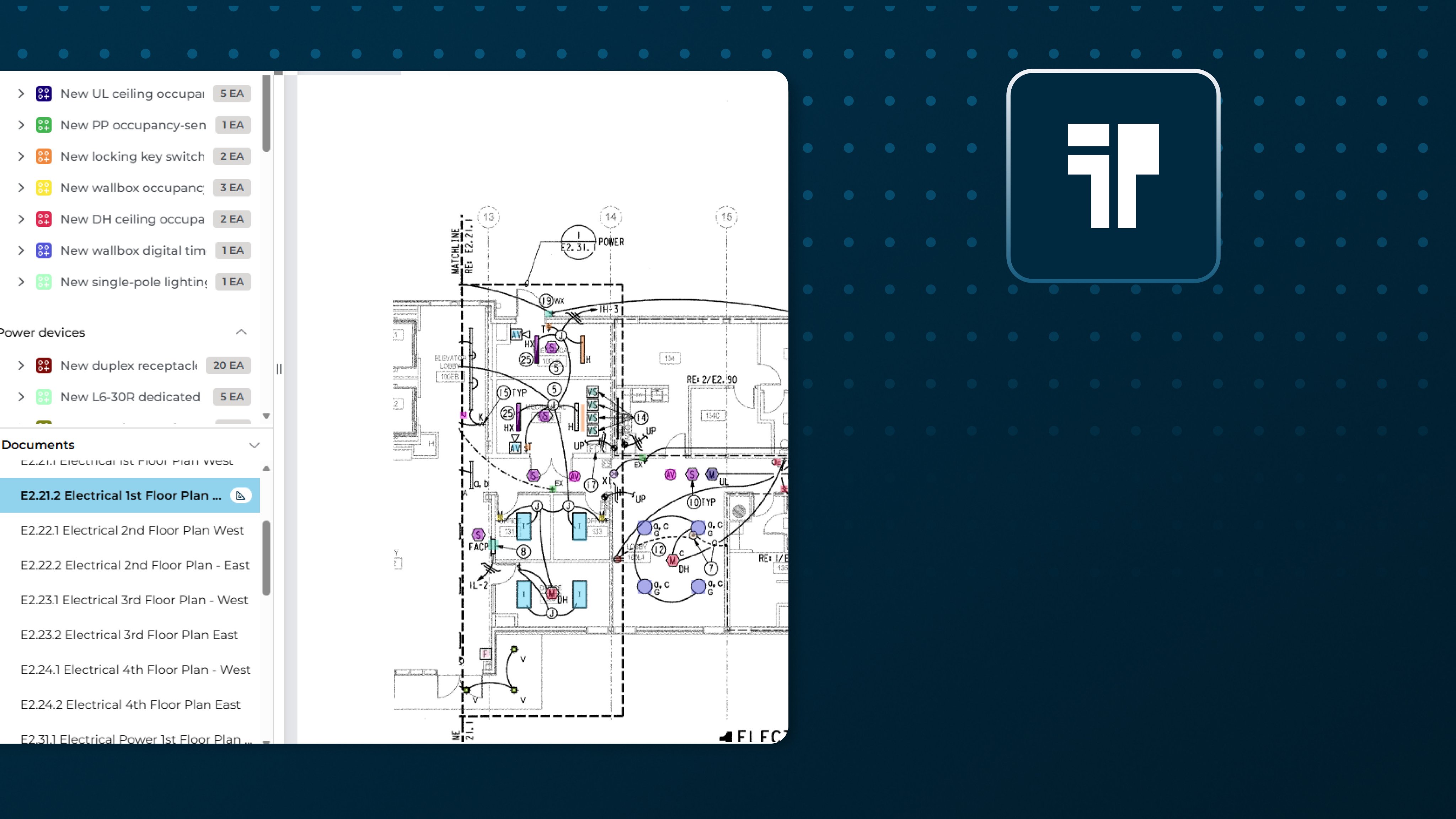
Don't Let Manual Takeoff Short-Circuit Your Bids - Auto Takeoff for Electrical Contractors
In short Electrical takeoff requires identifying symbols, devices, circuits, equipment, wiring, and specialty systems across plans and schedules. Details on one page, takeoff on another, endless flipping between project pages just to get started! Add to the takeoff complexity, the estimator must account for all the materials and labor required to complete a build out. Takeoff BOOST™’s Expanded Auto Takeoff coverage, along with the included Estimating functionality in ConstructConnect Takeoff, helps electrical estimators go from reviewing plans to submitting a bid in record time. Auto Takeoff gives estimators a faster, more organized way to establish the initial measurement set for review. This feature is current in beta testing and will be available for all ConstructConnect Takeoff users soon. Why this matters Electrical plans combine symbols, tags, homeruns, schedules, panel information, notes, and details. Estimators are stuck starting from a blank page which means they spend a disproportionate amount of time clicking and flipping between pages. A large part of your time is spent tracing and counting before the scope is organized enough to review, let alone begin the actual estimate. Takeoff BOOST™ Auto Takeoff helps bring common electrical categories into one structured starting point: Lighting fixtures Power devices Lighting controls Distribution and equipment Branch circuits and homeruns Feeders and service entrance Conduit, wire, and accessories Grounding and bonding Fire alarm Low-voltage and communications A faster path to the first review Load your plans set (Takeoff BOOST names and scales your pages automatically), open an electrical plan, verify the page scale, then launch Auto Takeoff and choose Electrical. You tell Auto Takeoff the scope you want and it feeds your options into Takeoff Assist, which immediately goes to work reviewing this plan and related pages for electrical work and related details. The resulting conditions and marked-up plan provide a categorized starting point for reconciling devices, equipment, circuits, and specialty systems. Takeoff Assist explains what it’s doing the entire time and then gives you a recap of which pages it took off, what it found, and if there are any anomalies you need to research. All this in minutes rather than hours or days of manually poring over project documents and drawing takeoff one click at a time! The payoff for electrical estimators It’s not as if these electrical plans became self-explanatory. The benefit to using Auto Takeoff and Takeoff Assist is that you can spend less time establishing repetitive counts and linework before the real estimating work begins. Takeoff Assists organized first pass makes it easier to see what has been measured, what needs a second look, and what may need to be added manually. Auto Takeoff creates Conditions and takeoff and let's you know what it and why in the Takeoff Assist panel. Takeoff Assist isn’t just drawing measurements on a page, it’s understanding how the plans work together and the relationships between different takeoff objects. It shows you its insights and why it drew takeoff the way it did and calls out inconsistencies and things you may want to pay extra attention to. Auto Takeoff and Takeoff Assist don't replace you as the estimator - your expertise are critical, but put them to work where they matter: fine tuning your estimate and polishing your proposals. Keep the estimator in control Automation is amazing but electrical estimating still depends on the full set of project information. Fixture and device types may tie to schedules. Branch circuits, feeders, and service entrance work may require panel schedules and risers. Conduit, wire, grounding, fire alarm, and low-voltage scope may depend on notes, details, and specifications. As the expert, you still need to review the generated results against the complete drawing set, then adjust or add measurements as needed. Use natural language to communicate with Takeoff Assist and get your bid out faster than ever. ImportantTakeoff BOOST's Auto Takeoff is an AI-assisted starting point. Always verify scale, scope, conditions, quantities, and specifications before using results in an estimate. Ready to move from elevation plans to a reviewable takeoff faster? Book a demo of ConstructConnect Takeoff and Takeoff BOOST. Keep an eye out for the next article in this series: Auto Takeoff for Painting
-

Caparol Paint: Tips for a Smooth, Long-Lasting Wall Finish
A newly painted wall can completely change the look of the room; however, there are other factors besides color that affect the final finish of the paint job. Caparol paint is one product to consider when planning your painting task, especially when you need a paint that will meet the requirements of the wall surface […] <p>The post Caparol Paint: Tips for a Smooth, Long-Lasting Wall Finish first appeared on CCR-Mag.com.</p>
Resources tagged painting
-

Process X - Process of making elevator buttons, 13022023
A look inside a Japanese manufacturers factory (Shimada Electric Manufacturing Co. Ltd) who make and sell elevator control panels and displays. There is no narrative with this video but subtitles are provided to explain some of the manufacturing processes carried out
-

Open City - Abbey Mills Pumping Station, 04092021
A short video providing some history and describing features of the Abbey Mills Pumping Station
Posts tagged painting
Businesses tagged painting
-

Nalwa Renovations Limited is a British Columbia‑based renovation and home performance specialist focused on transforming residential spaces through high‑quality construction and energy‑efficient upgrades. With deep roots in communities across Vancouver, the Lower Mainland, Fraser Valley, and Northern BC, the company brings thoughtful, practical solutions to homeowners who want to improve comfort, efficiency, and long‑term performance. Their work emphasizes revitalizing existing structures rather than replacing them, preserving character while enhancing how homes function in today’s demanding climate conditions.
-

"Smith and Sons are a family run painter & decorators and property maintenance firm, with years of collective experience. We offer a range of services, including painting and decoration, flooring, kitchen fitting and alterations and rubbish clearance. We cover Bromley and much of Kent, including towns such as Beckenham, Orpington, Westerham and more."
-

Tired of flaky finishes and paints that bail when the sun shows up? Solution Industries doesn’t mess around. We bring hardcore durability and no-nonsense results with every bucket—whether it’s concrete paint built to outlast the driveway, roof paint tough enough for Aussie summers, or heat reflective paint that kicks the heat right out. Rendering? Nailed it. Our acrylic render gives walls the kind of finish you brag about. And don’t sleep on our roof pointing—it's the final word in weather defence. We don’t just sell coatings. We sell confidence in a can. Want to know more? Then visit https://solutionindustries.com.au/ today! Solution Industries - Phone: 1300 737 208 - Website: https://solutionindustries.com.au/
-

Elite Painting Ltd., a leading painting service with Tauranga base, is well-known for consistently creating excellent quality. Having more than 15 years of commercial experience, we offer a wide range of services including decorative finishes, interior and exterior painting, and wallpapering. Our team is dedicated to painstakingly detailed transformation of your house, company, or office using just premium goods like Resene and Dulux.
-

ASP Painting LTD has developed a name for providing premium painting services for industrial, commercial, and household applications. Our great knowledge in many different sectors enables us to offer customised, efficient solutions to satisfy every client's particular requirements. Whether it's remodelling a house, improving a business, or managing a huge industrial project, we are ready to precisely and professionally handle it all. Having complete licenses and insurance, we take great satisfaction in upholding the best standards of value, quality, and safety. Our dedication to quality guarantees that every project is completed correctly the first time, therefore removing the necessity for expensive rework or delays. Our staff is committed to provide best services and flawless results.
Get full access to our construction knowledge base, latest news and updates ... Join the discussion.